
Pinterest Images Downloader
Pinterest is packed with images for almost every type of idea, from recipes and home decor to fashion, travel, wallpapers, and creative projects. When you find an image you want to save.
A Pinterest Images Downloader lets you save images from Pinterest by using the link to the Pin. You can copy the Pinterest URL, paste it into the downloader, and save the available image to your device. If the Pin is animated, you can use a Pinterest GIF downloader instead.
Download Files
Checking Pinterest link...
What Is a Pinterest Images Downloader?
A Pinterest Images Downloader is an online tool that helps you download images from Pinterest. Instead of taking screenshots or searching for the same image somewhere else, you can use the Pin link to access the available image file.
These tools are often browser-based, like our main Pinterest video downloader, so you can use them on a phone, tablet, laptop, or desktop. You don’t normally need to install another app to download content from Pinterest.
How to Download Images from Pinterest?
Downloading an image from Pinterest is a quick process. You only need the link to the Pin you want to save.
1
Find an Image on Pinterest
Open Pinterest and search for the image you want to download. You can browse your feed, search results, boards, or individual Pins. Once you find the right image, tap on it to open.
2
Copy the Pinterest Link
Use the share option on the Pin and select the option to copy its link. If you’re using Pinterest on a computer, you can also copy the URL from your browser’s address bar. Make sure you copy the complete Pin URL so the downloader can identify the content correctly.
3
Paste the Link
Open the Pinterest Images Downloader in your browser. Paste the copied Pinterest URL into the input field. Check the link once before continuing. A missing part of the URL can prevent the tool from finding the image.
4
Download the Image
Click the download button and wait for the tool to process the Pinterest link. If the image is available, you should receive an option to save it. After downloading, the image will normally be available in your device’s downloads folder or gallery, depending on the device and browser you use.
Can You Download Pinterest Images on Mobile?
Yes, you can use a browser-based Pinterest Images Downloader on a smartphone or tablet.
The steps are almost the same as on a computer. Find the Pin, copy its link, open the downloader, paste the URL, and save the image.
On some mobile devices, the downloaded image may first appear in the browser’s Downloads folder. You can move it to another folder or your photo gallery if needed.
Can You Download Pinterest Images Without an Account?
A Pinterest image downloader may allow you to process a public Pin URL without creating an account on the downloader website. But not every Pinterest Pin will be accessible. Private, removed, restricted, or unavailable Pins cannot be downloaded.
Why Download Images from Pinterest?
There are many reasons you may want to save a Pinterest image to your device.
Save ideas for later
Download useful images so you can find them quickly without searching through Pinterest again.
Offline viewing
Saved images can be viewed when you aren’t connected to the internet.
Create personal collections
You can organize downloaded images into folders based on topics such as recipes, travel, fashion, or home ideas.
Keep useful references
Images can be helpful when planning a project or collecting inspiration.
Is Pinterest Images Downloader Free?
Pinterest Image downloader is available for free. You generally only need to paste the Pinterest link to start the download process. The features can vary from one website to another. Some services may show advertisements or place limits on certain downloads.
Is It Safe to Download Images from Pinterest?
Using a downloader requires some basic caution. Not every website that offers downloads is equally trustworthy. A good practice is to avoid websites that ask for your Pinterest password, request unnecessary permissions, or tell you to install unknown software.
You should also be careful with unexpected pop-ups and redirects. If a downloader sends you to unrelated pages or repeatedly asks you to install something, close the page and use a safer service.
What Types of Pinterest Images Can You Download?
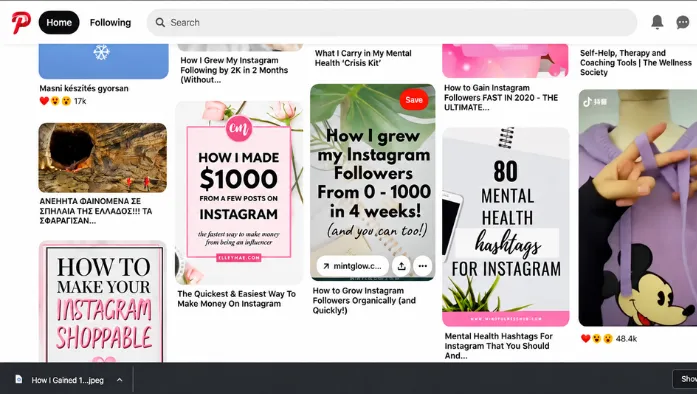
Pinterest contains many different types of visual content, and the exact files available for download can depend on the Pin.
You may find images such as:
- Photos
- Wallpapers
- Recipes and food images
- Fashion ideas
- Home decor images
- Travel photos
- Art and illustrations
- DIY ideas
- Infographics
- Product-related images
The quality and format of the downloaded image can vary depending on the original content available from the Pin.
Common Problems When Downloading Pinterest Images
Sometimes an image does not download as expected. Here are a few common issues and simple things you can try.
Pinterest Link Doesn’t Work
Check that you copied the correct Pin URL. If the link is incomplete or points to unavailable content, the downloader may not be able to process it.
Image Is Not Available
The Pin may have been deleted, made private, or restricted. In that case, the downloader may not be able to retrieve the image.
Download Button Doesn’t Work
Refresh the page and try again. You can also check your internet connection or try another supported browser.
Downloaded Image Is Missing
Check your browser’s Downloads folder or your device’s file manager. On mobile devices, downloaded files don’t always appear directly in the photo gallery.
Frequently Asked Questions
Final Thoughts
A Pinterest Images Downloader provides a simple way to save images from Pinterest using a Pin URL. Instead of taking screenshots or searching for the same image again, you can copy the link, paste it into the downloader, and save the available file. If the Pin is animated, you will need to save a GIF from Pinterest instead.
Use the tool responsibly, especially when you plan to share or reuse someone else’s work. For the best experience, choose a simple downloader, avoid sharing account passwords, and respect the rights of Pinterest creators.