Download Videos Pinterest In HD Format From PinClipper
Download Files
Checking Pinterest link...
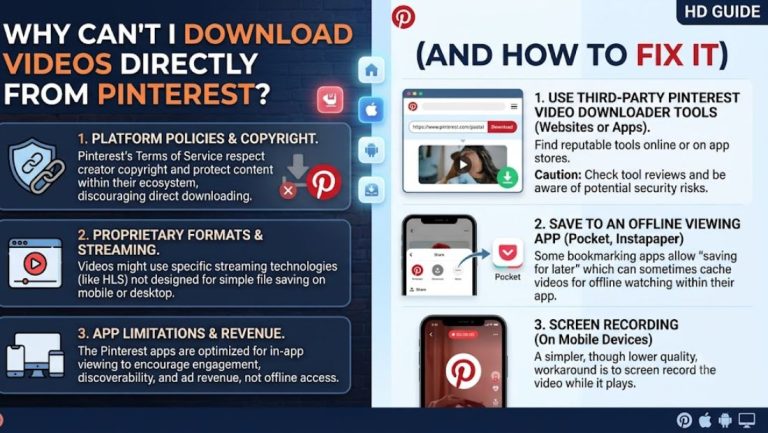
Pinterest is full of ideas worth keeping, from recipes and outfits to DIY projects and travel inspiration. But Pinterest doesn’t make it easy to save a video directly to your device, which is exactly the gap PinClipper was built to close.
With PinClipper, you can download Pinterest videos, images, and GIFs in original HD quality, without installing an app, creating an account, or dealing with confusing extensions. Just paste your pin link below and get your file in seconds.
What is PinClipper?
PinClipper is a free online tool that lets you save public Pinterest videos, images, and GIFs directly to your phone or computer. Instead of screen recording or losing content the moment you close the app, you get the original file in its original quality, ready to keep or share offline.
The tool works by reading the public pin link you provide and checking what media Pinterest has made available for that specific pin. Not every pin includes a downloadable file, and PinClipper does not access private boards, login-only content, or restricted pins. It works strictly within what Pinterest publicly shares.
We built PinClipper because most existing downloaders felt cluttered with ads, required unnecessary sign-ups, or simply stopped working after Pinterest updated its systems. Our goal is a tool that stays simple, fast, and reliable, whether you’re saving a single recipe video or a folder of design inspiration.
How to Download Pinterest Videos? 3 Step Guide
Downloading from Pinterest with PinClipper takes less than a minute. Here’s exactly how the process works, whether you’re on your phone or your laptop.
How to Download Pinterest Videos? 3-Step Guide
Downloading from PinClipper takes less than a minute. Here’s exactly how the process works, whether you’re on your phone or your laptop.
Copy the Pinterest Pin Link
Open the Pinterest app or website and find the video, image, or GIF you want to save. Tap the Share icon on the pin and select Copy Link.
pin.it/xxxxx. On desktop, you can copy the full URL directly from your browser’s address bar.
Paste the Link Into PinClipper
Head back to PinClipper and paste the copied link into the input box at the top of the page. The tool automatically detects whether the pin contains a video, image, or GIF, so you don’t need to select a format manually.
Download Your File
Click the Download button, choose your preferred quality if more than one option is available, and save the file to your device.
Pinterest Video Downloader: Video Tutorial
Tips for Using Pinterest Content Responsibly
Pinterest is built around discovery, but that doesn’t mean every pin is free to reuse however you like. Keeping a few habits in mind helps you enjoy the platform without stepping on anyone’s rights.
- Check the original source before reusing anything. A pin often links back to a blog, shop, or creator’s page, and that source usually explains what usage is allowed.
- Save for personal use, not commercial projects. Downloading a recipe video to watch offline is very different from using someone’s content in a paid campaign.
- Give credit when sharing publicly. If you repost something you saved, tagging or linking back to the original creator is a simple way to respect their work.
- Avoid downloading content that looks reposted or stolen. Pinterest has plenty of pins that were uploaded without the original creator’s permission, so use judgment before saving and sharing further.
Following these habits keeps your use of Pinterest content low-risk and fair to the people who actually made it.
Features That Make PinClipper Better
PinClipper was designed around the small frustrations people run into with other downloaders. Here’s what sets it apart.
- One tool for videos, images, and GIFs. You don’t need three different sites depending on what type of pin you’re saving.
- No watermarks added to your files. What you download is exactly what Pinterest provided, with nothing stamped over it.
- No forced sign-ups or app installs. The entire tool runs in your browser, so there’s nothing to download except your actual file.
- Clean interface without pop-up ads. You paste a link and get a download button, without navigating around intrusive ads first.
- Works with both short and full pin links. Whether you copied a pin.it link on mobile or a full URL on desktop, PinClipper handles both.
Why Choose PinClipper?
There are dozens of Pinterest downloaders online, so it’s fair to ask what makes this one worth using. The honest answer is consistency that meant PinClipper focuses on doing one job well instead of adding features that slow the tool down.
Every part of the site is built around speed and clarity. You won’t find confusing menus, unnecessary account requirements, or download links buried behind ad clicks. We also keep the tool updated whenever Pinterest changes how its pages are structured, so links keep working instead of quietly breaking.
Just as important, PinClipper is transparent about its limits. We don’t promise access to private content, we don’t claim to boost video quality beyond what Pinterest provides, and we’re upfront about respecting creator rights throughout the site.
Supported Content Types
PinClipper works across the main formats you’ll find on Pinterest, so you’re not stuck switching between different tools.
- Videos: Save Pinterest video pins in their original HD quality, ready to watch offline.
- Images: Download static image pins at full resolution, perfect for mood boards or reference collections.
- GIFs: Grab short looping GIFs exactly as they appear on the platform, without any quality loss.
- Idea Pins: Save individual pages from multi-page Idea Pins where Pinterest makes the media available.
Each format works through the same simple process: paste your link, and PinClipper detects the content type automatically.
More Pinterest Downloader Tools
Supported Devices
PinClipper runs entirely in your browser, which means it works the same way no matter what device you’re using.
- Android phones and tablets: Use PinClipper directly in Chrome or your default browser without installing anything extra.
- iPhone and iPad (iOS): Works smoothly in Safari, with downloaded files saving to your Photos or Files app.
- Windows and Mac computers: Paste links from your browser’s address bar and save files straight to your Downloads folder.
- Any modern browser: Chrome, Safari, Firefox, and Edge are all supported without extensions or plugins.
Copyright & Responsible Use
Pinterest hosts millions of pins, but not everything on the platform belongs to the person who pinned it. Many pins link back to original creators, brands, or photographers who hold rights over that content, even when the pin itself is public.
🔐 Public Access Only
PinClipper only works with publicly available pins and does not bypass private boards, login walls, or any of Pinterest’s security measures. Being able to view or download a pin does not automatically mean you have permission to reuse, repost, edit, or profit from it.
⚖️ Your Responsibility
You are responsible for how you use anything you download through PinClipper. This means checking the original source, respecting the original creator’s rights, and following Pinterest’s terms of service. Our tool is intended for personal, non-commercial use only.
📩 Rights Holders Notice: If you’re a rights holder and believe your content is being misused, you can reach out through our Contact Page and we will respond promptly according to our standard takedown process.
Is PinClipper Safe to Use?
Safety is one of the most common concerns people have before using any online downloader, and it’s a fair question given how many sketchy tools exist.
PinClipper doesn’t require an account, doesn’t ask for your Pinterest login, and doesn’t install anything on your device. The tool simply reads the public pin link you provide and retrieves the media Pinterest has made available for that page. We don’t store your downloaded files on our servers, and we keep data collection to the minimum needed to keep the site running.
FAQs
How do I download a Pinterest video with PinClipper?
Copy the pin’s link from Pinterest using the Share button, paste it into PinClipper’s input box, and click Download. Your video saves directly to your device in its original quality within seconds.
Is PinClipper free to use?
Yes, PinClipper is completely free with no hidden charges or subscription plans. Reasonable usage limits may apply during high traffic to keep the service stable for everyone.
Can I download images and GIFs, not just videos?
Yes, PinClipper automatically detects whether a pin contains a video, image, or GIF. You don’t need to select the format manually before pasting your link.
Does PinClipper work on iPhone and Android?
Yes, the tool works directly in your mobile browser on both iPhone and Android without requiring any app installation or extra software.
Can I download private or secret Pinterest boards?
No, It only works with public pins. It cannot access private boards, login-only content, or any pin protected by Pinterest’s security settings.
Is it legal to use PinClipper?
Legality depends on how you use the downloaded content. Personal use is generally low-risk, but reusing content commercially without permission from the original creator is your responsibility.
Does PinClipper store or save my downloaded files?
No, we don’t store, cache, or keep copies of any media you download. It simply retrieves the file from Pinterest’s public page and passes it to your device.
Why isn’t my Pinterest video downloading?
This usually happens when the link points to a board or profile instead of a specific pin, or when the pin doesn’t contain a downloadable file. Double-check that you copied the direct pin link.
Can I download an entire Pinterest board at once?
Not currently. PinClipper works pin by pin, so you’ll need to paste each individual pin link separately to download its media.
What video quality will I get?
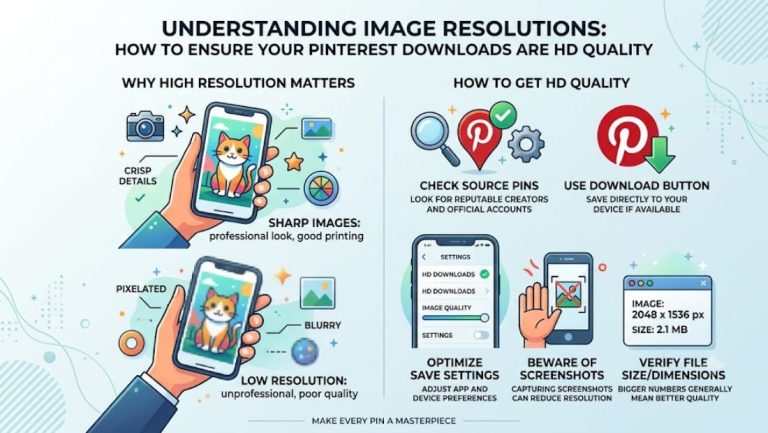
The quality depends entirely on what Pinterest provides for that specific pin. PinClipper cannot upscale or improve resolution beyond the original file Pinterest hosts.