Why Can’t I Download Videos Directly from Pinterest? (And How to Fix It)
Quick Answer
Pinterest doesn’t let you download videos directly because the platform is designed to keep users browsing inside the app, not saving content elsewhere. There’s no built-in save or download button for videos, images, or GIFs. The easiest fix is using a Pinterest video downloader like PinClipper, which lets you paste a pin link and save the video to your device in HD, in a few seconds.
Pinterest is one of the best places to find cooking videos, DIY tutorials, and design inspiration, but the moment you try to save one of those videos, you hit a wall. There’s no download icon, no “save to gallery” option, nothing. If you’ve been stuck trying to figure out why, you’re not alone, and the reason comes down to how Pinterest is built.
Why Pinterest Doesn’t Have a Download Button
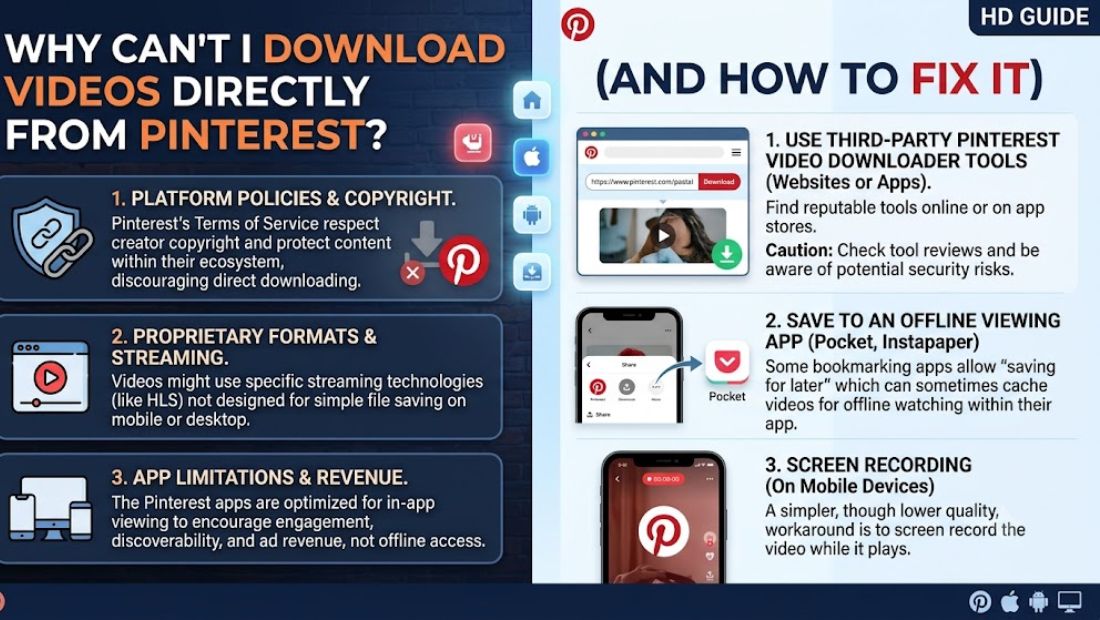
Pinterest’s entire business model depends on people staying active on the platform. Every video you watch, every pin you save to a board, and every minute you spend scrolling feeds directly into how the app grows and how it earns advertising revenue. A download button that lets you take content off the platform works against that goal, so it was never built in.
This isn’t unique to Pinterest. Most major platforms, including TikTok and Instagram, follow the same pattern: keep users inside the app, and make leaving with content difficult. Pinterest specifically limits your options to sharing a pin link, saving it to a board within the app, or scrolling past it, none of which actually gets you a video file you can keep offline.
There’s also a rights and licensing angle. Since most Pinterest videos belong to individual creators rather than Pinterest itself, the platform avoids offering a blanket download feature that could make it easier for that content to be copied and redistributed without the creator’s permission. Instead, Pinterest leaves content control largely in the hands of the original poster.
Does Screen Recording Actually Work?
Screen recording is the first workaround most people try, and while it technically works, it comes with real downsides that make it a poor long-term solution.
- Quality loss. Screen recordings compress the original video, so you often end up with a blurrier, lower-quality version than what was actually posted.
- Extra clutter. Your recording captures your entire screen, including the Pinterest interface, notification bars, and anything else visible at the time, not just the video itself.
- Time-consuming. You have to record in real time, meaning a 3-minute video takes 3 minutes to capture, compared to a few seconds with a proper downloader.
- File size issues. Screen recordings are often much larger than the original video file, taking up unnecessary storage space.
For a one-off video you don’t care much about, screen recording might be fine. But if you actually want a clean, HD copy of the original file, it’s not the right tool for the job.
The Real Fix: Using a Pinterest Video Downloader
The more reliable approach is a dedicated Pinterest video downloader. Instead of recording what’s on your screen, these tools read the pin’s underlying link and retrieve the original video file directly from Pinterest’s servers, in the same quality it was originally uploaded.
This solves the core problems with screen recording: you get the actual video file instead of a re-recorded copy, there’s no interface or notification clutter in the frame, the original resolution is preserved, and the process takes seconds instead of the video’s full runtime.
PinClipper works this way. It runs in your browser, so there’s no app to install, no account to create, and no login required, just the pin link and a download.
How to Download a Pinterest Video Step by Step
Saving a Pinterest video with PinClipper takes just three steps.
Step 1: Copy the Pinterest Video Link Open the video pin you want to save on Pinterest. Tap the Share icon and select Copy Link. This works the same way whether you’re using the mobile app or the Pinterest website.
Step 2: Paste the Link Into PinClipper Go to PinClipper and paste the copied link into the download box at the top of the page. The tool automatically detects that it’s a video and loads a preview.
Step 3: Download the Video Click Download, and the original video file saves directly to your device. On mobile, you’ll find it in your Gallery or Files app. On the desktop, it goes straight to your Downloads folder.
Common Reasons a Video Won’t Download
If a video doesn’t download properly, it’s usually one of a few specific issues rather than a broader problem with the tool.
- You copied a board or profile link instead of a specific pin. Downloaders need the direct link to the individual pin, not a general board or profile URL.
- The pin doesn’t actually contain a video file. Some pins link out to external sites and don’t have a downloadable video hosted directly on Pinterest.
- The link was copied incompletely. Double-check that the full URL was copied, especially on mobile where share sheets sometimes cut off long links.
- The pin has been deleted or made private. If the original poster removed the pin or changed its privacy settings, it’s no longer accessible for download.
If you run into a failed download, re-copying the link directly from the specific pin usually resolves the issue.
FAQs
Why doesn’t Pinterest let you download videos?
Pinterest doesn’t include a built-in download feature because keeping users active inside the app supports its business model, and because most video content belongs to individual creators rather than the platform itself.
Is there an official way to save Pinterest videos?
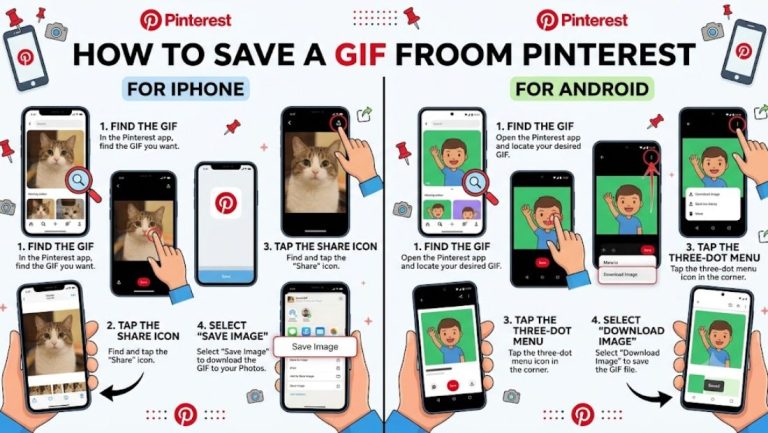
No, Pinterest doesn’t offer an official download option for videos, images, or GIFs. Saving a pin to a board only keeps it inside the app, not as a file on your device.
What’s the easiest way to download a Pinterest video?
The easiest method is using a Pinterest video downloader. Paste the video’s pin link into the tool, and the original file downloads directly to your device in a few seconds.
Can I download Pinterest videos without losing quality?
Yes, a proper downloader retrieves the original video file directly from Pinterest’s servers, so there’s no quality loss like you’d get from screen recording.
Why does my Pinterest video download fail?
This usually happens when the copied link points to a board or profile instead of a specific pin, or when the pin doesn’t contain an actual downloadable video file.
Also Read: How to Save a GIF from Pinterest to Your iPhone or Android Device