The Pinterest Mystery – Why Your Video Downloaded as a Photo
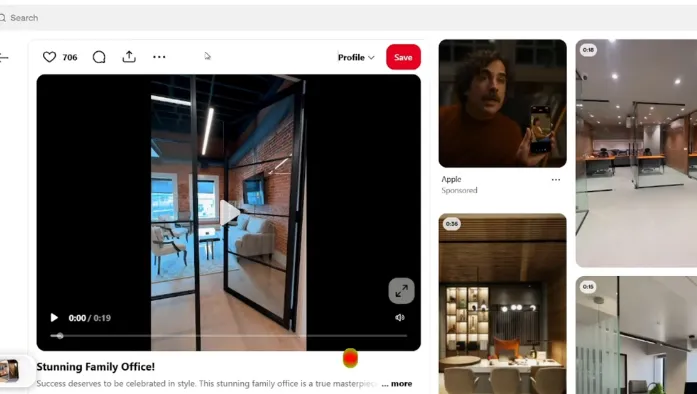
You found a Pinterest Pin that looks like a video. It moves, loops, and may even feel like a normal clip. You download it, open your files, and suddenly there is a JPG or PNG instead of an MP video.
In many cases, the problem is not your phone, computer, or Pinterest video downloader. The important detail is that not every moving Pin is necessarily being delivered as a video file. Pinterest supports both image and video Pins, and some content can look animated even when the media is different.
Why Does a Pinterest Video Download as a Photo?
It is because Pin may not contain a video file in the way you expect. Pinterest supports several types of visual content, including images, videos, and Pins that combine multiple images and videos.
A Pin can appear dynamic in your feed while the downloadable media a is an image-based asset, animation, or another format. When a downloader retrieves the media available from that Pin, it can return the image instead of an MP4.
Not Everything That Moves Is a Video
A moving Pinterest post can create the impression that you are watching a standard video. But appearance alone does not tell you exactly what type of media is behind the Pin.
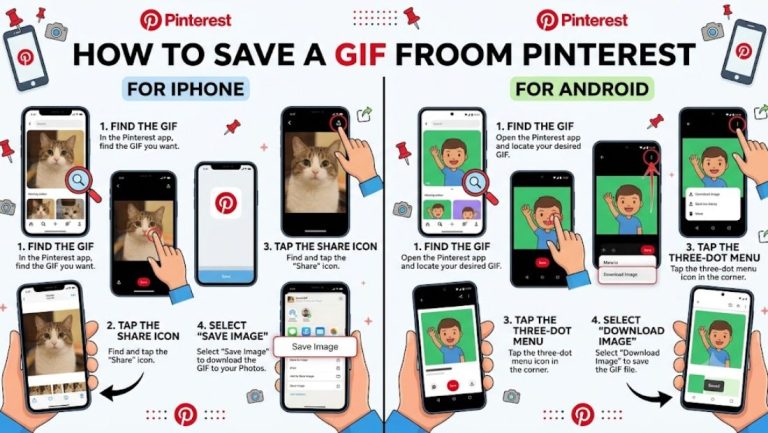
For example, some content may use animated GIFs, which you can save with a Pinterest GIF Downloader, or image-based content. A slideshow can also feel like a video because several images are presented together. Pinterest itself allows creators to combine multiple images and videos into a single video Pin when creating content through its app.
How to Identify If a Pinterest Pin Is a Real Video
Before downloading, look closely at how the Pin behaves. If the content has normal video controls or behaves like a continuous clip, there is a better chance that you are watching a video Pin. Pinterest officially supports video Pins and allows creators to upload videos directly when creating content.
If the content behaves more like a sequence of images, animation, or a simple looping visual, the file may not be an MP4.
Why You May Get JPG or PNG Instead of MP4
When a downloader returns JPG or PNG, it generally means that the available media was identified as an image rather than a video file.
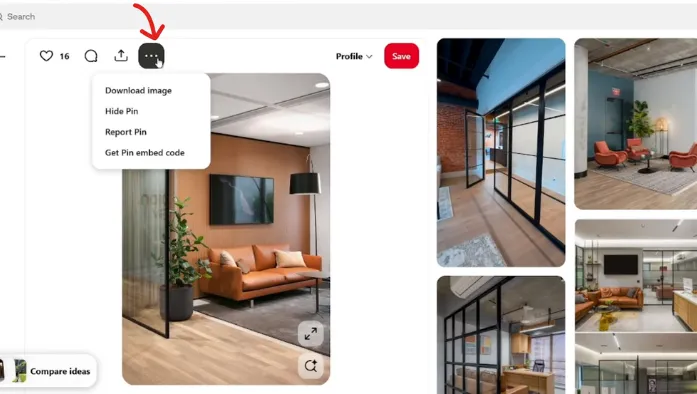
Pinterest officially provides a Download image option for image Pins. The platform says downloaded images can be saved to your device’s Gallery or Photos folder, depending on the device settings.
What If the Pin Really Is a Video?
If you are confident that the Pin is a genuine video but your download still produces an image, there could be another issue. Start by opening the Pin directly rather than downloading it from a preview or search result.
Pinterest provides different interactions depending on the Pin, and not every Pin is downloadable through the same options. Pinterest also states that not all Pins can be downloaded.
Does Pinterest Allow Video Downloads?
Yes, but there are some conditions. Pinterest allows creators to control whether people can download their media. When this option is enabled, those videos can be downloaded, and Pinterest says a watermark containing the creator’s username will appear at the bottom of the content.
Can You Convert the Downloaded Photo Back Into a Video?
No, if the downloaded JPG or PNG is genuinely the only media available, converting its file extension will not recover the missing video. You would need the original video source or an actual video version of the Pin.
This is important when the Pin contains a slideshow or animated presentation. An image file cannot magically regain motion or audio simply because it is renamed as an MP4.
Why the Problem Is More Common Than You Think
Pinterest contains a huge variety of visual content. Creators can publish images, videos, and combinations of media, while Pinterest can present them together in a highly visual feed.
That makes it easy to assume that everything moving on the screen is a conventional video file.
So when your “video” downloads as a photo, don’t immediately blame the downloader. Check the Pin itself, the available download option, and the resulting file format first.
Conclusion
A Pinterest video downloading as a JPG or PNG often means the media being delivered for that Pin is not a standard downloadable video file, or the Pin is using image-based content that appears like a video.
If you need an actual MP4, start with a video Pin and make sure the creator has allowed video downloads where Pinterest provides that option. For troubleshooting, also try the original Pin page, another browser, or an updated Pinterest app.