What is Pinterest Downloader: How It Works, and When to Use One
You’ve probably seen the term “Pinterest downloader” mentioned online, but never quite understood what it actually does. Is it an app? A website? Something you install?
A Pinterest downloader is simply a tool that lets you save videos, images, and GIFs from Pinterest directly to your device. This guide breaks down exactly what it is, how it works behind the scenes, and the situations where using one actually makes sense.
What Is a Pinterest Downloader?
A Pinterest downloader is an online tool built to retrieve public media from Pinterest and convert it into a file you can save. Instead of relying on screenshots or screen recordings, it pulls the original video, image, or GIF directly from the source.
Most Pinterest downloaders work entirely through a web browser. You don’t install anything, and you don’t need a Pinterest account to use one.
The core idea stays simple across every tool in this category: paste a pin link, and get a downloadable file back.
How a Pinterest Downloader Actually Works
Understanding the mechanics helps explain why these tools work at all, given that Pinterest doesn’t offer a built-in save option.
Step 1: You Provide a Pin Link
Every download starts with a specific pin URL. This link points to one individual piece of content, whether that’s a video, photo, or GIF.
Step 2: The Tool Reads the Pin’s Data
Once you paste the link, the downloader checks the pin’s underlying page data. This data includes the direct source file, hosted on Pinterest’s content delivery network rather than the compressed version shown while browsing.
Step 3: It Retrieves the Original File
The tool fetches that source file and prepares it for download. This is why a good Pinterest downloader gives you sharper results than a screenshot, since it skips the compressed preview entirely.
Step 4: You Download the File to Your Device
The final file saves to your phone or computer, ready to view offline, share, or store for later.
None of this involves accessing private content. A downloader only works with pins that are already public and viewable by anyone.
What Types of Content Can You Download?
Most Pinterest downloaders support a few core formats, though capabilities vary between tools.
- Videos – standard video pins and, in some cases, Idea Pins
- Images – static photos, illustrations, and infographics
- GIFs – short animated pins, saved with their original motion intact
Some more advanced tools also support boards, profiles, or multi-page Idea Pins, though this depends heavily on the specific downloader you’re using.
When Does It Actually Make Sense to Use One?
A Pinterest downloader isn’t something you need for every pin you scroll past. It becomes genuinely useful in a handful of specific situations.
You Want Offline Access
Videos and images without a stable internet connection stop working the moment you lose signal. Downloading gives you something you can open anytime, whether that’s a recipe in the kitchen or a workout routine at the gym.
You’re Building a Personal Reference Collection
Designers, hobbyists, and planners often need a local folder of inspiration rather than scattered pins across different boards. A downloader turns that scattered content into actual files you control.
You Want Better Quality Than a Screenshot
Screenshots capture whatever compressed version Pinterest displayed at that moment. A proper downloader retrieves the original file, giving you sharper images and smoother video playback.
You Need to Keep Content Before It Disappears
Pins occasionally get deleted, boards get made private, or accounts get removed entirely. Downloading something you genuinely want to keep protects against losing access later.
When You Shouldn’t Use One
A Pinterest downloader isn’t the right tool for every situation, and using it responsibly matters just as much as knowing how it works.
Avoid using a downloader if you plan to:
- Repost someone else’s content as your own without credit
- Use downloaded media commercially without the creator’s permission
- Attempt to access private boards or restricted content
- Redistribute downloaded files at scale for purposes beyond personal use
A downloader gives you a personal copy of publicly available content. It doesn’t transfer any ownership or reuse rights over that content.
What Makes a Good Pinterest Downloader?
Not all downloaders are built the same way, and a few qualities separate the reliable ones from the frustrating ones.
- No forced sign-ups. You shouldn’t need an account just to save a file.
- No added watermarks. The download should match the original pin exactly.
- Original quality preserved. A good tool retrieves the source file, not a compressed copy.
- Works across devices. Mobile and desktop should both function smoothly through the browser.
- Clear privacy practices. The tool shouldn’t ask for your Pinterest login or store your downloads.
Checking for these basics before using any downloader saves you from a frustrating experience later.
Final Thoughts
A Pinterest downloader fills a gap the platform never addressed itself: getting content off the app and onto your device. Once you understand how it works, from reading the pin link to retrieving the original file, the whole process stops feeling like a mystery.
Use one when you genuinely need offline access, better quality, or a personal archive of content you don’t want to lose. Just keep the use personal, and you’ll get everything a Pinterest downloader is actually built for.
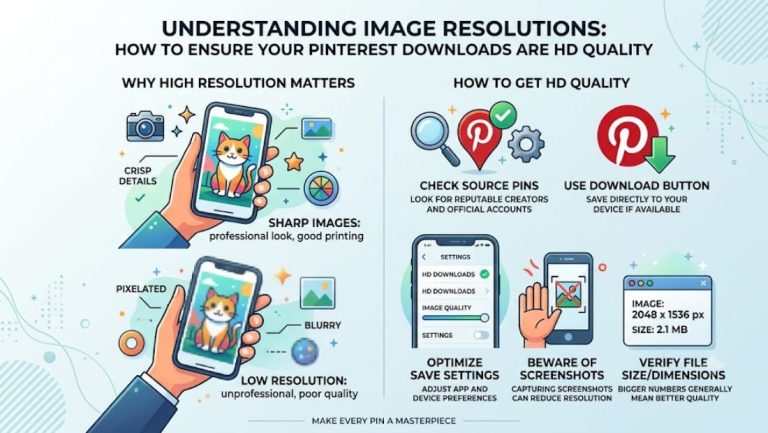
Understanding Image Resolutions: How to Ensure Your Pinterest Downloads Are HD Quality